
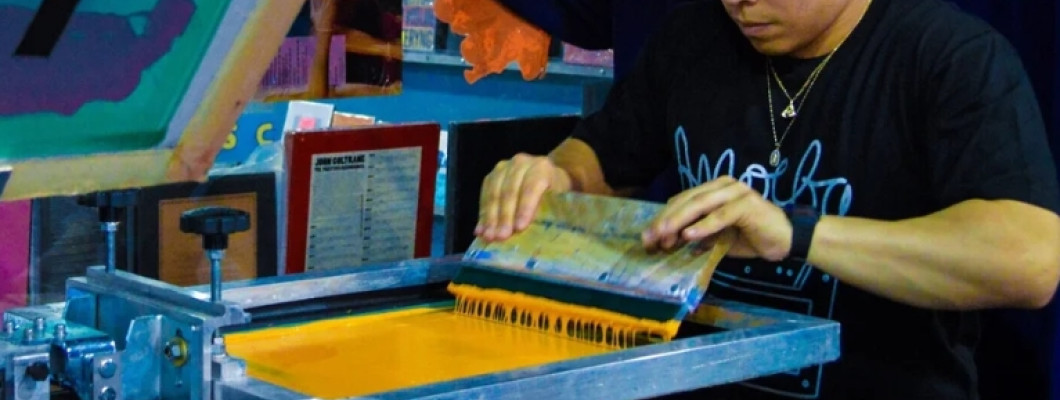
Search for a T-shirt printing machine and you get everything: digital printers, heat presses, screen printing machines. They are different tools with different costs and results. This guide is about screen printing: what the machine does, what you need besides the machine, and which of the three set-ups makes sense for the number of T-shirts you want to print.
Screen printing, heat press or digital printing: what changes
In screen printing, the ink goes through a screen that carries your design. You prepare the screen once, then you print the same design on as many T-shirts as you like, and each extra print costs mainly the ink. That is why screen printing pays off when the same design goes on several garments: shirts for a team, an event, a shop.
Heat presses and DTF printing work differently: every T-shirt needs its own transfer or printed film. They are handy for one-off pieces or designs with many colours, but the cost per garment stays. For a closer comparison, read our guide heat press vs screen printing.
What a screen printing machine is for
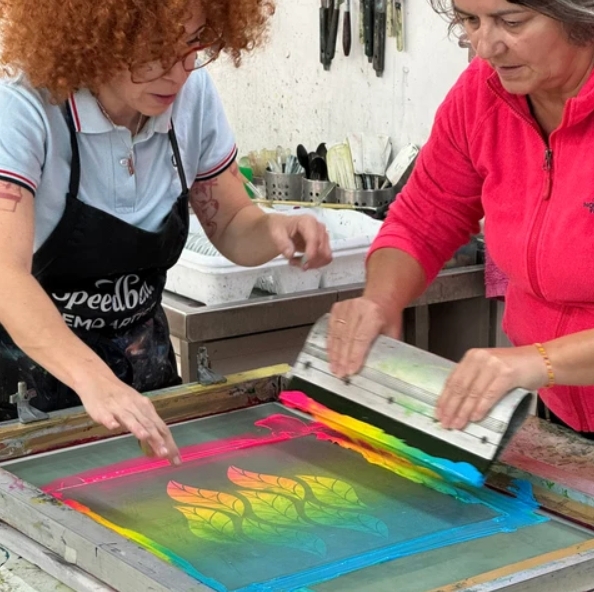
You can screen print without a machine, with the screen fixed to a table by two clamps. The machine makes the difference when the number of T-shirts grows: it keeps the screen and the shirt in the same position, so every print lands in the same spot and you do not have to line everything up again for each garment. The screen goes up and down on the same axis, and you only think about loading the next shirt.
Three set-ups to get started
1. T-shirt screen printing kit, no machine
This is the simplest starting point. The T-Shirt Screen Printing Starter Kit has everything to prepare your first screen and make your first prints: aluminium screen printing frame with 55T mesh, two XXL hinge clamps to fix it to the table, emulsion scoop coater, LED UV lamp to expose the screen, E27 yellow bulb for working with the emulsion, 33 cm squeegee, SERITEX water-based textile ink, photo emulsion, screen degreaser, emulsion remover and A4 transparency sheets to print your design on your own printer. An instruction guide for beginners is included.
It suits you if you want to try the technique, print a few T-shirts or work on other fabric items. Prints go up to A3 size.
2. Complete kit with the K-SER Zero press
The T-Shirt Screen Printing Kit adds the manual K-SER Zero press to the basic supplies: 55T frame, emulsion scoop coater, LED UV lamp, yellow bulb, squeegee, SERITEX ink, emulsion, degreaser and emulsion remover.
The K-SER Zero has a 38 × 54 cm print area, a shaped wooden platen to slide the T-shirt onto and a gas-piston support that holds the screen steady while you print. It works with wooden and aluminium frames. It is designed for people who print T-shirts, sweatshirts and workwear in small runs.
If you already have frames and supplies, the Screen Printing Press K-SER zero is also sold on its own.
3. K-SER1 Evo with built-in UV exposure unit
The Screen Printing Machine with UV Exposure Unit K-SER1 Evo brings printing and screen exposure together in one station. The built-in exposure unit has 4 UV lamps of 14 W and a digital timer from 0 to 99 seconds: you set the exposure time once and get the same time on every screen. The print area is 40 × 60 cm and the machine takes frames up to 46 × 66 cm.
The box also contains a 55T aluminium frame, emulsion scoop coater, squeegee, Plus7000 emulsion with diazo sensitiser, 1 kg of T-shirt ink and the user manual. It prints one colour as standard; to print more colours there is the Color station Kit K-SER1 Evo.
The three set-ups side by side
| Starter kit | Kit with K-SER Zero | K-SER1 Evo | |
|---|---|---|---|
| Machine | No, frame clamped to the table | Manual K-SER Zero | Manual K-SER1 Evo |
| Screen exposure | LED UV lamp | LED UV lamp | Built-in UV exposure unit with timer |
| Print area | Up to A3 | 38 × 54 cm | 40 × 60 cm |
| More colours | One screen per colour | One screen per colour | With the colour station |
| Who it is for | Trying it out or printing a few pieces | Printing T-shirts and sweatshirts in small runs | Preparing screens often, with everything in one station |
Which one to choose based on how many T-shirts you print
- You want to try it or need a few T-shirts: start with the starter kit. You learn every step, from printing the design on film to cleaning the screen.
- You already print batches of identical T-shirts, even small ones: the kit with the K-SER Zero saves you time on every garment, because you do not have to line up screen and shirt again.
- You prepare screens every week and want more control over exposure: the K-SER1 Evo has the exposure unit inside the machine and a digital timer.
Frequently asked questions
Can I print in more than one colour?
Yes, but each colour needs its own screen and one more pass. On the K-SER1 Evo you can add stations with the colour station kit. When you start, single-colour designs are the easiest way in.
Do I need a darkroom?
You need a room without direct UV light while you coat the emulsion and let it dry. The starter kit and the kit with the K-SER Zero include a yellow bulb for working with the emulsion without exposing it.
Which ink should I use for T-shirts?
The kits contain water-based textile ink. If you prefer plastisol, you will find our plastisol screen printing inks in the shop.
Can I also print on sweatshirts and bags?
Yes. With the K-SER Zero you can print T-shirts, sweatshirts and workwear. The starter kit also works on other fabric items.
In short
If you only want to try, start with the kit. If you already know you will print T-shirts regularly, the K-SER Zero saves you time on every garment. If you prepare screens often and want printing and exposure in the same place, look at the K-SER1 Evo.
Not sure which one to get? Message us on WhatsApp and we will help you choose.
Leave a Comment