

Compact manual presses for beginners and small workshops, from the K-SER Zero to the K-SER1 Evo with built-in UV exposure unit
With our screen printing machines you print T-shirts, hoodies and tote bags with the screen always in register: the second shirt comes out exactly like the first. They sit on any table with no wall mounting and work with water-based, plastisol and solvent-based inks.
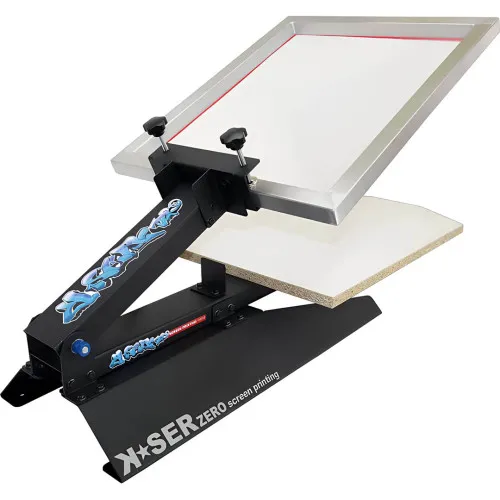
✅ K-SER Zero: entry-level manual press, 38×54 cm print area
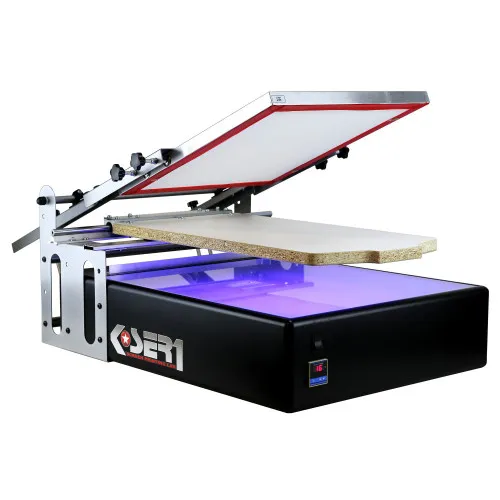
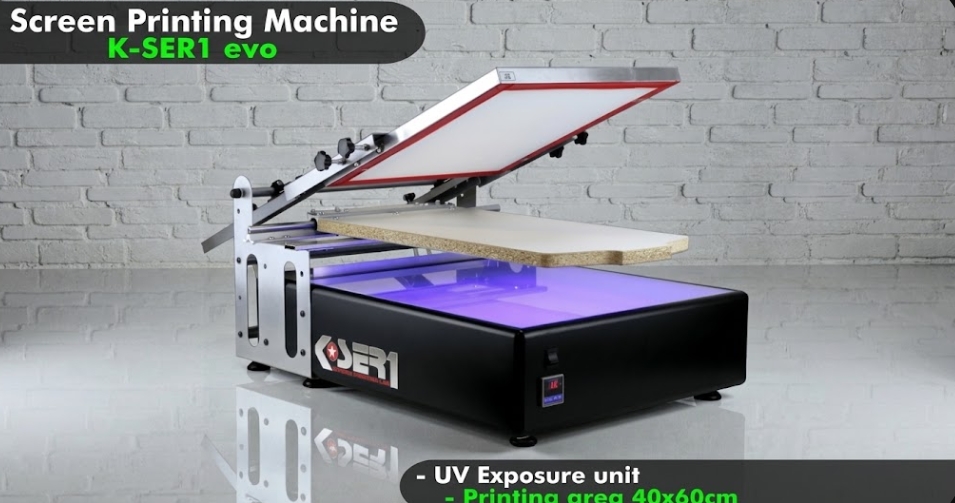
✅ K-SER1 Evo: all-in-one, with UV exposure unit and digital timer
✅ Direct support: we'll help you choose the right machine on WhatsApp



Which screen printing machine should you choose?
There are three ways to set up your screen printing workshop, and the right one depends on how much you print and how much you want to invest at the start.
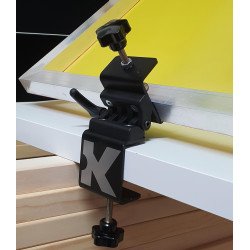
On the tightest budget: screen printing hinge clamps fix to a workbench and hold the screen in the same position on every pass. It's the cheapest way to move from printing by hand to a proper print table.
With a manual press: the K-SER Zero screen printing press adds a gas spring that keeps the screen lifted and a shaped platen for T-shirts, with a 38×54 cm print area.
With everything in one machine: the K-SER1 Evo has a built-in UV exposure unit with digital timer, so you expose your screens and print on the same machine, with a 40×60 cm print area and modules for multi-colour work.
The video shows how a T-shirt is printed step by step. You'll find more video tutorials on our machines on our YouTube channel, and our screen printing at home guide explains the whole process, from preparing the screen to the finished garment.

Our screen printing machines and equipment
- Screen Printing Machine K-SER1 Evo: the all-in-one machine: built-in UV exposure unit with digital timer, 40×60 cm print area and a patented modular system that expands with colour modules. Supplied as a complete kit with screen, squeegee, emulsion and ink. The choice if you want to prepare your screens and print on the same equipment, without buying a separate exposure unit.
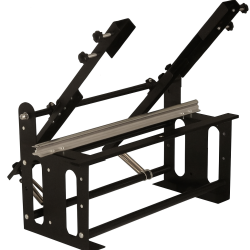
- Screen Printing Press K-SER Zero: the entry-level manual press. Compact and stable, with a gas spring that holds the screen in position and a shaped platen for T-shirts; 38×54 cm print area. It has no built-in exposure unit: to expose your screens you can use a UV lamp such as our 30W LED UV exposure lamp.
- Screen printing clamps 2x: a pair of hinge clamps to build your own print table for the smallest outlay: they fix to the bench and keep the screen aligned on every pass. A simple way to start one-colour printing without buying a press.
- Smart Clamp Pro Screen Printing Clamp with Adjustable Lever: a hinge clamp with a lever for adjusting screen pressure and height. Made for table-top printing when you want control over every setting and fewer uneven prints.
- Screen Printing Hinge Clamp: a hinge clamp for screen printing frames that gives the stability and control you need for well-aligned prints, with no screen movement while you work.
- Screen Printing Screen Holder – Frame Support Sidekick Tool: keeps the screen lifted when you need it, so you don't have to hold it by hand between one print and the next.
- Colour station Kit K-SER1 Evo: the slide system module built for the K-SER1 Evo: it attaches to the machine and lets you print more than one colour without bulky equipment.
- Lamp holder for K-SER Zero Screen Printing Machine: a holder for mounting the 30W LED UV lamp on the K-SER Zero, so screen exposure happens right on the machine.
Still unsure which machine to choose?
We've been working in screen printing for decades. If you can't decide between starting with hinge clamps, the K-SER Zero or going straight to the K-SER1 Evo, our screen printing machine buying guide compares the models by print volume and available space.
If this is your first machine, start with what a screen printing machine is and how it works. For any specific question, message us on WhatsApp: you'll get an answer from people who work with these machines every day.

Frequently asked questions
What's the difference between the K-SER Zero and the K-SER1 Evo?
The K-SER Zero is a manual press without a built-in exposure unit, a good fit if you already have a UV lamp for exposing screens. The K-SER1 Evo has a UV exposure unit with digital timer built into the machine and is supplied as a complete kit with screen, squeegee, emulsion and ink.
Do I need an exposure unit for screen printing?
Yes, you need a UV light source to expose the emulsion on the screen. On the K-SER1 Evo the exposure unit is already built in. With the K-SER Zero or the hinge clamps you can use a UV lamp, such as our 30W LED UV exposure lamp.
Can I start without a press?
Yes. With hinge clamps you fix the screen to a workbench and can already print one colour with the screen always in the same position. It's the cheapest way to start; if your volume grows, you can move up to the K-SER Zero.
Can I print on paper or wood with these machines?
Yes. Both machines have a height-adjustable print head that suits materials of different thickness. Besides textiles, you can print on paper, cardboard, wood, metal and acrylic.
Can I expand the machine for multi-colour printing?
Yes. The K-SER1 Evo has a patented modular system that lets you add colour modules (SLIDE system). In multi-colour printing each colour needs its own screen and its own pass.