
Practical Guide to Pad Printing: Solutions for Professionals and DIYers
Everything you need to know to solve printing problems
Welcome to the most comprehensive guide on pad printing issues! Whether you're a professional or a DIY enthusiast, here you'll find clear, practical solutions to the most common challenges.
Why is this guide different?
- Simple language suitable for all experience levels
- Tested solutions for both professional and hobby equipment
- Cost-effective advice to solve problems without expensive replacements
What you'll learn:
For beginners:
- How to recognise different types of problems
- Simple adjustments you can make immediately
- Basic maintenance to prevent issues
For experts:
- Advanced optimisations for production
- Analysis of technical parameters
- Solutions for difficult materials
Ready to start?
- Identify your problem
- Find the corresponding section
- Follow the illustrated steps
- Get better results!
DIY Tip:
Always start with small adjustments and test on scrap materials before proceeding with your important pieces.
1. Blurry Printing or Sharpness Issues
Blurry printing occurs when the edges of images or text lose definition. The main causes lie in the interaction between pad, cliché, and substrate.
| Factor | Possible Reasons | Recommended Solution |
|---|---|---|
| Pad | Shape unsuitable for the design, excessive softness | Choose a harder pad with appropriate profile |
| Cliché | Engraving too deep, inadequate screen | Remake the cliché with correct settings |
| Ink | Incorrect viscosity (too thick or too diluted) | Adjust density with thinner or pigment |
2. Pad Doesn't Pick Up Ink from the Photopolymer
New pad: clean several times to remove the surface oil film. Insufficient ink adhesion occurs when the pigment doesn't properly adhere to the substrate. Surface contamination by oils or release agents can also compromise adhesion.
| Factor | Possible Reasons | Recommended Solution |
|---|---|---|
| Pad | Silicone or dirt contamination | Clean well with isopropyl alcohol |
| Ink | Wrong type (unsuitable for material) | Use specific inks (UV, two-component) |
3. Apparent Small Holes
Microholes are small craters that appear in the printed surface, often caused by air bubbles in the ink or surface contamination. Silicone contamination creates true ink repellency zones.
| Factor | Possible Reasons | Recommended Solution |
|---|---|---|
| Pad | Damaged or porous surface | Replace the pad |
| Cliché | Presence of dust during engraving | Remake cliché in clean environment |
4. Color Transfer Between Pads
In multicolor processes, unwanted color transfer occurs when a pad partially lifts previously printed ink. Slow-drying inks or excessive thinner remain vulnerable longer.
| Factor | Possible Reasons | Recommended Solution |
|---|---|---|
| Pad | Excessive hardness or worn surface | Use softer pads or replace them |
| Ink | Too slow drying | Use fast thinners or UV lamps |
5. Uneven Ink Thickness
Uneven ink thickness manifests with coverage variations. Steel clichés generally offer more uniform results compared to photopolymer ones.
| Factor | Possible Reasons | Recommended Solution |
|---|---|---|
| Cliché | Wrong cliché type | Use red clichés |
| Ink | Too diluted or too thick | Adjust viscosity |
6. Distortion in Printed Image
Geometric distortion occurs when the printed image appears stretched or compressed. Pad hardness and shape must be carefully selected based on substrate geometry.
| Factor | Possible Reasons | Recommended Solution |
|---|---|---|
| Pad | Wrong shape | Use different shape |
| Material | Movements or collapses | Use special supports |
7. Poor Ink Opacity
Insufficient opacity appears when the ink looks translucent. Materials like black ABS or metals often require double hits or a white base before color printing.
| Factor | Possible Reasons | Recommended Solution |
|---|---|---|
| Cliché | Engraving too shallow | Engrave a deeper cliché |
| Material | Surface too dark | Use double hit |
8. Smudging and Irregular Edges
Smudging occurs when ink expands beyond design margins. Non-absorbent materials like glass or metals accentuate this problem.
| Factor | Possible Reasons | Recommended Solution |
|---|---|---|
| Pad | Too hard or too small | Use a softer or wider pad |
| Ink | Too diluted | Add more pure ink |
9. Image Appears Stained
Irregular stains are often caused by contamination (oils, silicone) or uneven drying. Can also derive from chemical incompatibility or electrostatic phenomena.
| Factor | Possible Reasons | Recommended Solution |
|---|---|---|
| Pad | Too flat or worn | Use a more pointed pad |
| Ink | Dried in the engraving | Clean cliché with thinner |
10. Ink Sticks to Pad Surface
When the pad doesn't completely release ink, missing or low-coverage areas are created. Pad geometry (especially withdrawal angle) drastically influences release.
| Factor | Possible Reasons | Recommended Solution |
|---|---|---|
| Pad | Too soft or wrong shape | Use harder or more pointed pad |
| Ink | Dried on pad | Use retarder or more thinner |
11. Smudging on Image Sides
Side smudging appears as stripes parallel to image edges. Ambient humidity below 40% worsens the electrostatic phenomenon.
| Factor | Possible Reasons | Recommended Solution |
|---|---|---|
| Pad | Too flat | Use a more pointed pad |
| Material | Static charge | Use deionizer |
12. Fine Lines Closing Up
Thin lines (<0.2mm) tend to close during printing. Thixotropic inks help maintain definition.
| Factor | Possible Reasons | Recommended Solution |
|---|---|---|
| Pad | Excessive hardness | Use softer pad |
| Cliché | Excessive depth | Remake cliché with less depth |
Conclusions
- Use high-quality pads and clichés
- Regularly check ink viscosity
- Keep all surfaces clean
- Adjust printing parameters based on material
Pad Printing Equipment by Keygadgets
Keygadgets has been active in the pad printing sector for over 40 years. Every product in our catalogue — machines, pads, photopolymer plates, inks — has been selected and tested by people who know the process from the inside.
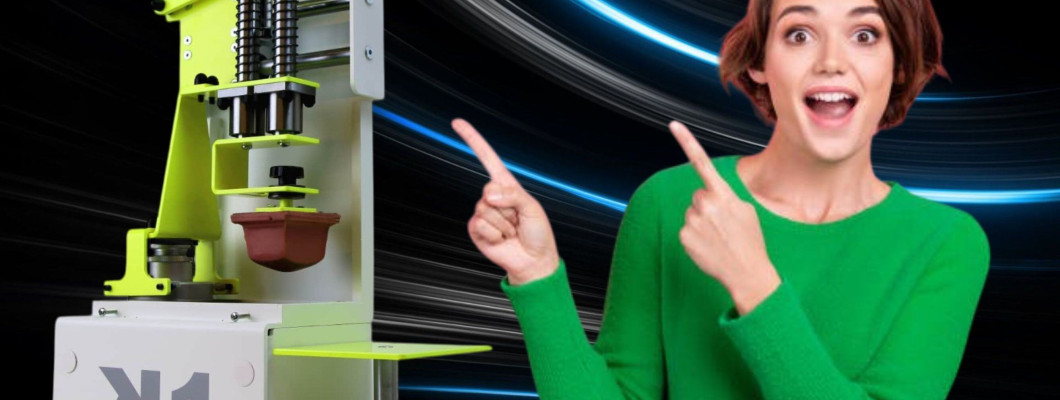
- Manual Pad Printing Machine K-1 — for precise, repeatable printing on small and complex objects
- Pads, photopolymer plates and accessories — all consumables for pad printing
- Pad printing inks — single and two-component for all material types
Have technical questions? Write to us on WhatsApp — our team responds with decades of real pad printing experience.
Frequently asked questions about pad printing
What is pad printing and what is it used for?
Pad printing is an indirect printing method that transfers ink from an engraved plate to a surface via a soft silicone pad. It is especially suited for objects with curved, concave or irregular surfaces — pens, promotional items, industrial components, ceramics, metals — where screen printing cannot reach.
Which ink should I use for pad printing?
For standard plastics (ABS, PS) single-component inks like Tampoplus work well. For difficult materials (PP, PE, painted surfaces) two-component inks with a hardener are required. For glass or ceramics, specific formulations exist.
How long does a pad printing pad last?
Under normal use, a silicone pad lasts from a few thousand to tens of thousands of prints, depending on hardness, ink type and cleaning care. A pad that starts losing definition should be replaced.
What are photopolymer plates for pad printing?
Photopolymer plates are UV-sensitive surfaces on which the design is etched. Once exposed and developed, the plate holds ink in the engraved areas, which are picked up by the pad and transferred to the object.
Can I do pad printing at home or do I need a professional workshop?
With a manual pad printing machine like the Keygadgets K-1, you can print in a small space without a professional setup. The machine is compact and well suited for small runs and custom items.
1 Comment(s)
Hi, I bought a very little used pad printing machine MORLOCK MTM 100 (closed color cup), that uses photopolymerplates size 100 mm x 210 mm. Do you have for sale those? I looked at from your pages the film, that you sell. Is that for laserprinters and does I get the positive as dark as possible for making it ready for plate engraving? With best regards SKN-Markkinointi T:mi (VAT FI22545052), Särkiniementie 14 as 27 , 70700 Kuopio - Finland tel. +358 40 5415 290
Leave a Comment