
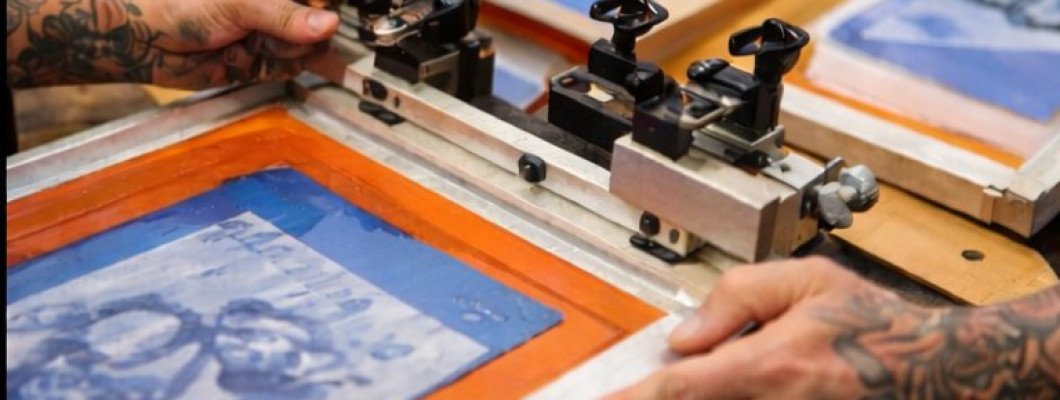
Screen printing rarely goes perfectly on the first try, especially when you are just starting out. Many beginners expect clean, professional results immediately, but quickly run into common screen printing problems such as uneven prints, washed-out designs, or ink that does not behave as expected. These issues can feel discouraging, particularly when working at home with a starter kit, but they are a natural part of learning the screen printing process.
Problems with screen printing usually appear when small details are overlooked. Exposure times, ink thickness, pressure on the squeegee, or even room conditions can all influence the final result. Because screen printing is a hands-on process, mistakes often happen before beginners fully understand how each step affects the next one. Recognizing that these problems are part of the learning curve makes it easier to stay patient and keep improving.
This guide is created for beginners who want clear, practical answers to common screen printing problems. Instead of technical jargon or industrial workflows, it focuses on simple explanations and realistic solutions that can be applied at home. By understanding why certain screen printing problems occur and how to fix them, beginners can gain confidence, reduce wasted materials, and turn frustrating mistakes into valuable experience.
Common Screen Printing Problems Beginners Face
Most beginners encounter screen printing problems during the first few sessions, even when using complete starter kits. These issues usually appear because screen printing involves several connected steps, and a small mistake early in the process often affects the final result. Understanding the most common beginner problems makes troubleshooting much easier and helps reduce frustration.
One frequent issue is uneven or patchy prints. This often happens when ink is applied inconsistently or the screen is not properly prepared. Beginners may also struggle with screens that clog quickly or do not release ink evenly. In many cases, these problems are related to the screen, mesh, or emulsion rather than the printing motion itself, which is why learning proper screen preparation is so important.
Beginners most often face the following screen printing problems:
- Uneven ink coverage on the print
- Blurry or unclear image edges
- Screens that clog during printing
- Ink bleeding outside the design
- Prints that look weak or faded
TIP: Many early print issues can be reduced by using the correct screen printing mesh and keeping screens clean between prints.
Learning to recognise these problems early helps beginners understand how tools like screen printing frames, screen printing mesh, and emulsion for screen printing affect print quality. With better awareness, adjustments become more precise, and results improve faster.
Screen Printing Exposure Problems
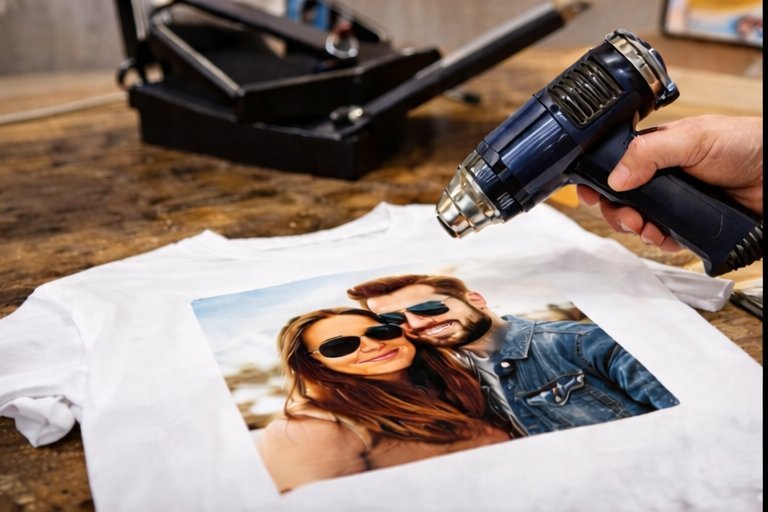
Screen printing exposure problems are among the most confusing issues for beginners. When a screen is underexposed or overexposed, even a well-prepared design can fail during washing or printing. Exposure issues often occur because beginners are still learning how light, emulsion, and timing work together.
Underexposed screens may wash out completely or lose fine details, while overexposed screens can make it difficult for ink to pass through the design. These problems are common when exposure time is guessed rather than tested. Having a consistent exposure setup and using the right materials helps beginners gain control over this step.
Typical screen printing exposure problems include:
- Designs washing out during screen development
- Details are not opening properly on the screen
- Screens that are too hard and block ink flow
- Inconsistent exposure results between screens
TIP: Using quality emulsion for screen printing and a reliable exposure light makes it easier to achieve consistent results.
Exposure problems are often solved through small adjustments rather than major changes. Testing exposure times and using proper screen printing supplies helps beginners understand how exposure affects every print that follows.
Ink and Print Quality Problems
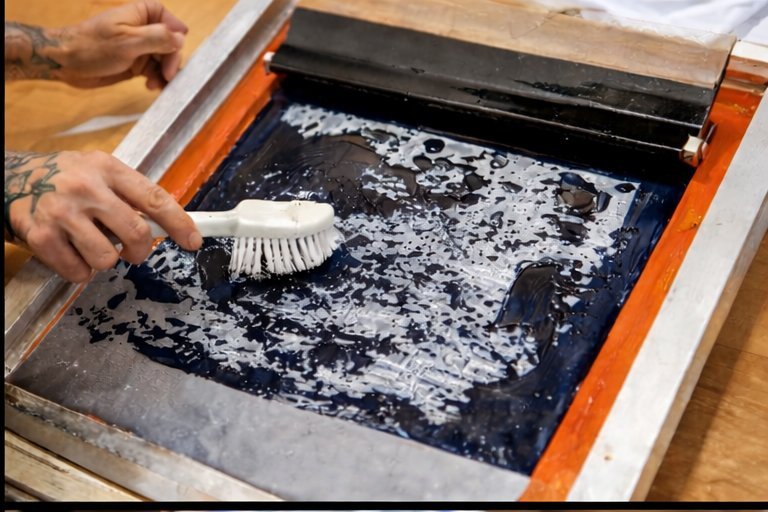
Ink and print quality problems are very common when beginners start screen printing at home. These issues usually appear when ink consistency, pressure, or screen setup is not well balanced. Even with a properly exposed screen, poor ink handling can lead to prints that look uneven, heavy, or incomplete.
One typical problem is using too much or too little ink. Excess ink can cause bleeding and loss of detail, while insufficient ink may result in weak or patchy prints. Beginners may also notice that ink dries too quickly in the screen, especially during longer sessions. In many cases, these problems are connected to ink type, screen cleanliness, and printing rhythm.
Common ink and print quality issues include:
- Thick or uneven ink coverage
- Ink bleeding beyond the design edges
- Prints that look faded or incomplete
- Ink drying inside the screen during printing
- Inconsistent results between prints
TIP: Choosing the right screen printing ink and keeping screens clean between prints greatly improves print consistency.
Understanding how ink behaves on the screen helps beginners make better adjustments. Using suitable screen printing supplies and maintaining a steady printing pace can significantly improve overall print quality.
Screen Alignment and Registration Problems
Screen alignment and registration problems often appear when beginners start printing more detailed designs. Even small movements of the screen or fabric can cause images to shift, resulting in misaligned or uneven prints. This is especially noticeable when printing photos or designs that require precise placement on T-shirts.
Misalignment usually happens when the screen is not properly secured or when the fabric moves during printing. Beginners working at home may not use advanced registration systems, but basic alignment techniques can still make a big difference. Simple tools and careful setup help keep the screen in the correct position throughout the printing process.
Typical screen alignment problems include:
- Prints appearing off-centre on the T-shirt
- Slight shifts between multiple prints
- Uneven spacing around the design
- Movement of fabric during printing
TIP: Using stable screen printing frames and securing the T-shirt properly helps reduce alignment issues.
By improving alignment and registration habits, beginners gain more control over their prints. A careful setup and attention to positioning help ensure cleaner, more professional-looking results, even when printing at home.
How to Fix Common Screen Printing Problems
Fixing screen printing problems usually does not require changing the entire setup. In most cases, small adjustments to technique, materials, or preparation solve the issue. Beginners often improve results quickly once they understand which part of the process caused the problem and how to correct it step by step.
When troubleshooting screen printing issues, it helps to focus on one variable at a time rather than changing everything at once. This approach makes it easier to identify the real cause and avoid repeating the same mistake.
Practical ways to fix common screen printing problems include:
- Adjusting exposure time instead of changing the design
- Cleaning screens more frequently to prevent clogging
- Using consistent squeegee pressure across each print
- Reducing the ink amount to avoid bleeding
- Rechecking screen alignment before each print
TIP: Making small test prints after each adjustment helps confirm whether the problem is resolved.
Many issues become easier to manage with experience and better familiarity with screen printing supplies, such as inks, emulsions, and screens. Over time, beginners learn how different materials behave and how to adapt their process for more reliable results. Understanding screen printing problems and solutions helps beginners improve results faster and avoid repeated mistakes.
Tips to Avoid Screen Printing Problems
Preventing screen printing problems is often easier than fixing them after they appear. Beginners who develop good habits early tend to experience fewer issues and more consistent results. Most problems can be avoided through preparation, patience, and a clean working process.
A calm and organised approach makes a noticeable difference, especially when working at home. Rushing through steps or skipping checks often leads to mistakes that could have been prevented with minimal effort.
To avoid common screen printing problems, beginners should keep these tips in mind:
- Prepare and test screens before printing final designs
- Keep all tools and screens clean between sessions
- Use appropriate screen printing ink for the material
- Maintain a consistent printing rhythm
- Allow proper drying time between prints
TIP: Writing down what works well after each session helps build a repeatable process.
By focusing on prevention rather than correction, beginners can make screen printing more enjoyable and less frustrating. Good habits create a smoother learning curve and lead to better results over time, even when working with simple home setups.

Conclusion: Understanding and Solving Screen Printing Problems
Screen printing problems are a normal part of learning the process, especially for beginners working at home or with starter kits. Every issue, whether related to exposure, ink, or alignment, is a signal that one part of the process needs adjustment. With time and practice, these problems become easier to recognise and solve, turning mistakes into valuable experience rather than frustration.
What matters most is developing an understanding of how different steps in screen printing connect to each other. Preparation, cleanliness, and consistency play a bigger role than complex tools or advanced setups. Beginners who take a patient approach and focus on learning from each print usually see steady improvement, even when working in simple home environments.
Ultimately, screen printing is a hands-on skill that improves through repetition and awareness. By learning how to identify common screen printing problems and apply practical solutions, beginners can build confidence and enjoy the process more fully. With the right mindset, troubleshooting becomes part of the creative journey rather than an obstacle.
Leave a Comment